Mobile Apps
7 Mobile App Benefits for Businesses: Is an App Worth It?
Compare seven mobile app benefits with website and PWA alternatives, operating costs, adoption questions, and a practical launch checklist.
MyPocket · 7 min read · Updated
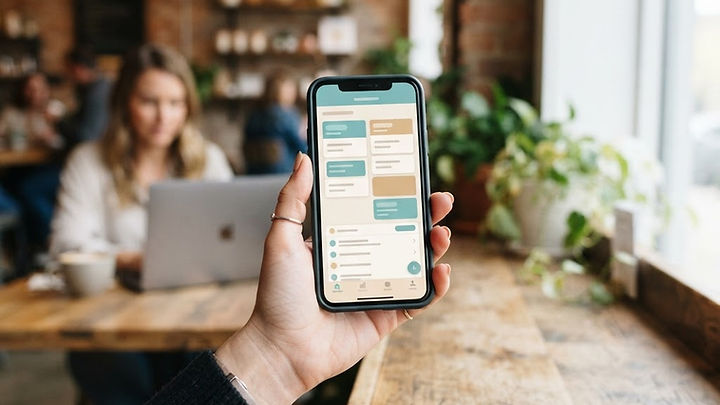
A mobile app can make recurring tasks easier for customers and employees. But not every business needs one. The strongest reason to build an app is a frequent, specific user need that your existing website or tools do not serve well.
1. Make repeat interactions easier
An app can give returning customers a direct route to bookings, orders, or account information. Saved preferences and a clear dashboard can reduce repeated data entry. These benefits depend on people having a reason to return; occasional visitors may prefer a website.
2. Streamline everyday operations
For internal teams, an app can replace scattered spreadsheets or paper checklists with one task-based workflow. A field worker might view a job, record progress, and submit a report from the same screen. Map the existing process first so the app does not simply reproduce its inefficiencies.
3. Give employees information where they work
Mobile access can help teams find schedules, instructions, and relevant customer details away from a desk. Design permissions carefully so each person sees only the information they need. Offline access may help in low-connectivity environments, but it needs deliberate synchronization and conflict handling.
4. Improve relevant communication
Opt-in notifications can remind customers about an appointment or a requested update. They are useful when timely and expected, not when they become a stream of promotions. Let people control preferences and do not treat notification permission as guaranteed engagement.
5. Offer a more personal experience
An app can remember user-selected settings, favorite items, or frequently used actions. Begin with simple preferences before introducing complex recommendation systems. Explain how data is used and collect only what is necessary for the experience.
6. Connect tools and reduce duplicate work
A custom app can connect with existing systems so teams do not enter the same information in multiple places. Confirm that those systems offer suitable integrations and decide which is the source of truth. Plan how updates, failed transfers, and access changes will be handled.
7. Learn which workflows need improvement
Appropriate usage measurement can show where people abandon a task or repeatedly need help. Focus on completed bookings, successful submissions, or time saved rather than downloads alone. Avoid collecting sensitive content when basic event measurements will answer the question.
When a website may be enough
A mobile-friendly website is often the better starting point for public information, occasional enquiries, or a service customers use infrequently. An app becomes more compelling when people need repeated sign-in, device capabilities, or a dedicated workflow. Compare both options before committing. Explore our mobile app development options and website design services to discuss the right starting point.
Budget beyond the first launch
Include maintenance, security updates, store requirements, support, hosting, and integration costs in your plan. Identify who will manage feedback and future releases. Start with one valuable customer journey, validate it with real users, and expand only when the evidence supports it.
Mobile app, progressive web app, or responsive website?
A responsive website is usually the strongest starting point for information people should find without installing anything. A progressive web app, or PWA, uses web technology and may offer installation and selected device capabilities, depending on the browser and platform. A native app is distributed through an app store and can support deeper device-specific experiences. None of these choices automatically produces customer adoption or a return on investment.
Choose the delivery method after defining the task. A customer who checks your address twice a year does not usually need an installed app. A member who books classes every week may value saved preferences, account access, and reminders. If the device feature you need is critical, verify its current platform support rather than assuming every PWA or native framework behaves the same way. Our business app planning guide focuses on the underlying workflow decision.
A realistic example: recurring bookings
Consider a fitness studio whose members repeatedly choose a class, confirm availability, and manage cancellations. An app could bring those actions into one account-based experience. The important requirements are not just a calendar screen: capacity must stay consistent with the booking system, cancellation rules must be clear, and staff need a way to resolve a failed reservation.
This hypothetical example illustrates why integrations and exception handling belong in the first scope. Begin by improving the booking journey, then consider loyalty features or recommendations only if users ask for them. Measure completed bookings and support requests. Downloads alone do not show whether the app made the experience better, especially when people install it during a promotion and never return.
Understand the full cost of business app development
Development is one part of the budget. Include hosting, ongoing releases, third-party integrations, monitoring, customer support, accessibility work, and the staff time needed to keep content accurate. App store accounts and payment rules also require attention, but exact terms depend on the platform, business model, and region. Check the current Apple review guidelines and Google Play policy center before designing a purchasing flow.
Ask which accounts your business will own and how data can be exported if your supplier changes. Request a maintenance scope that distinguishes routine updates from new features. A low launch price with unclear support responsibilities is difficult to compare with a more complete offer. The appropriate budget follows the required workflow and operating model, not a generic industry promise.
Validate demand before building the complete app
Speak with customers who currently perform the task. Ask them to describe their last experience, including what was difficult and what they used instead. Demonstrate a simple prototype, observe whether they understand it, and test the assumptions that matter most: willingness to register, frequency of use, and whether an installation is worth the effort.
Avoid asking only “Would you use an app?” People may say yes without changing their behavior. A pilot should have a defined audience and a measurable task. For businesses with infrequent transactions, improving website design may be a more appropriate first investment. For frequent ordering, the details in our restaurant app guide show why operational readiness matters as much as interface design.
First-release checklist
- Choose one recurring task and name the audience that performs it.
- Identify the source of truth for bookings, orders, or customer records.
- Define user roles, account recovery, and notification preferences.
- Confirm platform support for required device capabilities.
- Include accessibility, low-connectivity behavior, and support in the scope.
- Agree on the release process, maintenance responsibilities, and data ownership.
- Establish a baseline so you can compare successful task completion after launch.
Frequently asked questions about business mobile apps
Does every small business need a mobile app?
No. A mobile-friendly website or an existing product may meet your needs at lower operational complexity. An app is more compelling when customers or staff repeatedly use an account-based workflow or need specific device capabilities.
Can a PWA replace a native app?
Sometimes. The answer depends on the required capabilities, target devices, distribution expectations, and browser support. Verify the exact requirements on the devices your audience uses rather than making the choice on terminology alone.
How should app success be measured?
Choose a measure tied to the task: completed bookings, accurate submissions, repeat orders, or fewer administrative corrections. Interpret it alongside adoption, support volume, and ongoing costs. More installations without useful activity can be a poor outcome.
Choose the smallest useful launch
Use MyPocket mobile app development to explore the available approaches. When you are ready to compare options, share your audience and recurring workflow instead of beginning with a long feature wish list.