Mobile Apps
Mobile App Development Costs: What Changes the Budget?
Understand mobile app cost factors, from workflows and integrations to offline behavior, security, distribution, maintenance, and first-release scope.
MyPocket · 6 min read · Updated

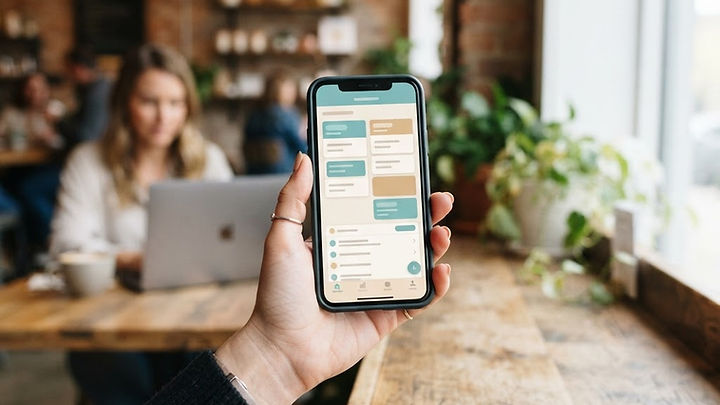
“How much does an app cost?” sounds like a simple question until the word app starts describing everything from a public event guide to a field-service system with private records and offline editing. A useful estimate needs to describe the task, the people involved, and the behavior behind the screens.
This guide doesn't attach an invented average price to your project. It explains why estimates differ and which questions make them easier to compare. The aim is a budget that reflects a complete first release and its operating responsibilities, not the cheapest number attached to an incomplete feature list.
The workflow is the main unit of scope
Count complete tasks rather than screens. A booking workflow can include browsing availability, signing in, reserving a place, cancelling, notifying staff, and handling a failed payment. Several simple-looking screens may depend on the same complicated set of rules. Conversely, a polished information screen may require little custom behavior.
Document who starts each task, what information they provide, which checks occur, and what success means. Include common exceptions. If two people attempt the last available booking, the application needs a defined result. Those rules matter more to an estimate than whether a button is rounded.
User roles and permissions add requirements
A customer, employee, manager, and administrator may each need different access. Define who can read, create, edit, approve, and delete particular records. Also decide what happens when a person changes role or leaves the organization. These are server-side requirements, not simply different menu designs.
Private information can introduce additional security and review work. Identify the data you actually need and minimize unnecessary collection. A proposal that mentions user accounts without explaining permissions and account recovery may omit important parts of a usable system. The business app planning guide connects these decisions to ownership and operations.
Integrations need investigation before a promise
Connecting an app to accounting, booking, payment, or customer-management software depends on the capabilities and terms of the actual products. A vendor may allow some actions but not others, impose usage limits, or require a separate account tier. Confirm the source of truth for each record type.
An integration also needs to handle failures, repeated events, and conflicting updates. Decide which errors staff can resolve and how missing transfers become visible. Maintenance should include the effect of vendor changes. “Connect our existing tools” is a discovery requirement until the interfaces and authorized access have been confirmed.
Offline behavior can be a separate project decision
A user reading saved instructions without a connection is different from editing a record that someone else is updating online. Offline work may require local storage, pending-action queues, synchronization, conflict handling, and clear status messages. Define which tasks really need it.
If connectivity is usually available, you may be able to begin with simpler behavior and a clear connection requirement. If the app supports essential field work in unreliable conditions, test the offline journey early. Don't remove the requirement merely to lower the estimate if the resulting app would fail where people actually use it.
Distribution affects implementation and administration
A PWA, a native app, and a cross-platform app can have different capability and distribution requirements. Store releases involve accounts, review, and ongoing listing responsibilities. Browser-based delivery has its own compatibility and update considerations. Compare options against the intended users rather than assuming one is universally cheaper.
Our PWA versus native app guide explains the tradeoffs. If app-store distribution is part of the plan, confirm current requirements with Apple's review guidelines and the Google Play policy center. Exact payment and account obligations depend on the product and region.
Content, design, and testing are real work
Someone must prepare labels, instructions, error messages, help content, and any media. A complicated workflow often needs a prototype before implementation so users can explain what feels unclear. Plan accessibility, readable text, and representative device testing from the start.
Testing should include the ordinary journey and likely mistakes, not only a successful demonstration. A form needs correction behavior. A private page needs an access check. A booking needs a response when availability changes. Reducing review time may produce a lower quote without reducing the number of problems the real product must handle.
Estimate operating costs as well as the build
Include hosting, storage, monitoring, third-party tools, support, security maintenance, and future releases. Ask whether routine updates are included and what counts as a new feature. Establish who owns the accounts and how the business can export its records if the relationship changes.
Adoption has a cost too. Staff may need training, customers may need instructions, and support requests must go somewhere. A useful application still needs an operating owner. Evaluate total ownership over a period relevant to your business rather than choosing solely on the first invoice.
Define a smaller first release without leaving it unfinished
Suppose your team wants job assignment, route planning, invoicing, chat, and an analytics dashboard. The first valuable task may be assigning a job and receiving an accurate completion report. That task still needs suitable permissions, reliable saving, and correction of mistakes. Optional reporting can wait; the supporting workflow cannot.
List launch requirements separately from future ideas. Ask what evidence will justify the next phase. If an existing product already handles the core task, compare it fairly with custom work. The custom software build-versus-buy guide provides a worksheet for that decision.
Questions to ask about an app estimate
- Which complete workflows are included?
- What user roles and access rules are implemented?
- Which integrations have been verified?
- What happens during connectivity or vendor failures?
- Which devices and distribution routes are supported?
- Who supplies content and approves changes?
- What does maintenance include, and what continues to cost money?
- Who owns accounts, data, and export responsibilities?
Common app budget questions
Can you quote accurately from a list of screens?
Screens help explain the interface, but an estimate also needs the rules, permissions, integrations, and failure behavior behind them. A short discovery phase may prevent much larger misunderstandings later.
Is custom development always more expensive than subscriptions?
Not over every operating period or for every requirement. Compare license costs, configuration, migration, limitations, support, and future changes. Custom work also has ongoing expenses, so neither option is free after launch.
How can we keep the first release affordable?
Choose one valuable task, use suitable existing capabilities, and defer optional features. Don't remove necessary privacy, reliability, or maintenance work to make an incomplete estimate appear attractive.
Ask for a workflow-based proposal
Explore MyPocket mobile app development or share your current process and priority task. A clear scope makes the estimate more useful than a generic price range could be.